

Desertcart purchases this item on your behalf and handles shipping, customs, and support to Armenia.
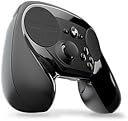
🎯 Master every game with precision and style — the Steam Controller is your ultimate edge.
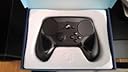
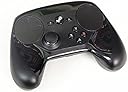
The Steam Controller by Valve is a wireless, ergonomic gamepad featuring dual trackpads, dual-stage triggers, and fully customizable controls. Compatible with Mac, Windows, and SteamOS, it enables precise gameplay across all Steam titles, including those without native controller support, making it a versatile choice for serious gamers seeking comfort and control.


| ASIN | B016KBVBCS |
| Additional Features | Ergonomic |
| Best Sellers Rank | #27,837 in Video Games ( See Top 100 in Video Games ) #52 in Mac Gamepads & Standard Controllers #343 in PC Gamepads & Standard Controllers |
| Brand Name | Valve Index |
| Button Quantity | 14 |
| Color | Black |
| Compatible Devices | Mac, Windows |
| Compatible Video Game Console Models | Microsoft Xbox One S |
| Connectivity Technology | USB |
| Controller Type | Joystick |
| Customer Reviews | 4.2 4.2 out of 5 stars (4,811) |
| Global Trade Identification Number | 00814585020007 |
| Hardware Platform | SteamOS |
| Item Dimensions | 8.39 x 6.3 x 2.72 inches |
| Item Weight | 1.2 pounds |
| Manufacturer | Valve |
| Manufacturer Part Number | V000692-01 |
| Model Name | Steam Controller |
| Model Number | V000937-00 |
| Package Quantity | 1 |
| Power Source | Battery Powered |
| UPC | 814585020007 814585020069 |
T**Z
Great controller, but it takes time to learn
I've seen a lot of reviews about this controller from people who used the early releases, and there is one thing I want to say to them: "Early Release", there are always slight changes to a product before it is released to the public. Alright, now that that's over with on with the review. I got this controller on Friday, 11/13/15 and it is now 11/15/15 and this is my 2 day review. I have grown to believe that this is a great controller. It has tons of features and buttons and little "hidden" program options. For instance, I can program one of the touch pads act as my mouse with a specific sensitivity, slight actions depending on gestures used on it (like track ball emulation), and inverted axes. There is also a "Mode Shift" option that lets you configure the Touch Pad with completely different settings if you do a soft pull on one of the triggers (or any of multiple other buttons). Example of this: I am weird and when playing a game I control the camera with the X-axis inverted, only if I'm using a controller, however when I go into "aim mode" or look down my scope or whatever, the steam controller lets me switch the Touch Pad to not having the X-axis inverted and to decrease sensitivity. (I apologize if that was a difficult sentence to read) The cool thing is I can actually change the "style of input" completely with this mode shift, so I do a soft hold of a trigger and my mouse turns into a touch menu, or a scroll wheel, or a button pad (Like for going through a menu). Basically there's tons of things that can be done to make this controller work the way you want it. You don't have to program each and every game from scratch, there are 3 templates (by default) and you have access to the community shared configurations created by other people. Sadly I noticed that as of right now it is a little difficult to take your configurations from one game to the next (Like taking configurations from Assassin's Creed II to Brotherhood). Configurations are saved in the following locations: "%ProgramFiles%\Steam\controller_base\templates" is for templates and "%ProgramFiles%\Steam\userdata\%your steam userid%\241100\remote\controller_config\%specific game code%" is for each specific games. You might find it easier to make a configuration a game that is blank or defaulty and name it what the game is to make it easier to figure out the game codes while browsing around. There are tons of buttons on this controller and you can program them in whatever weird ways you want too (they even sound like weird ways to configure them). The 2 triggers are analog as a soft pull, and when you do a full pull it becomes digital, so you can program each as to different things. In addition when programming the analog stick, you can program a specific button press/action if you take the stick all the way to the end. For example, while playing Warframe I have the analog stick configured so that once push it all the way in one direction it hits the Sprint button, than when I do a soft pull on the Right Trigger I go into a crouch/slide, and finally when I finish that pull on the Right Trigger (turning it into a Full Pull) I go into a jump. This makes parkour work amazingly. I've turned holding W and Shift to Sprint, going into a slide by holding Control, and tapping Space to jump, into only using an analog stick and pulling one trigger. Some of the reviewers I've read have mentioned the gyroscope for the controller, and you know what? That's configurable, so don't act like it's forced on you. It's actually really cool and I'm looking forward to using it with the Rift. I haven't used it much but I can actually set it up so that if I'm setting in a spinny chair while holding the controller, and I spin, the my character spins! Now that wouldn't be useful for right now when your trying to play a game using the monitor in front of you, but you don't have to program it like that, maybe your flying and you actually want to "Pull Up!" you could set it up like that. Last week I read a review from someone who fell in love an early release of this controller and compared it to switching from QWERTY to DVORAK. At first I disagreed, but as I've used this controller more I can agree now. I can play these games that I've been playing for years or even a new game very well with a mouse and keyboard, but that's because I'm use to my keyboard. (I can hit most keys on my keyboard without looking at said keyboard). The point is, trying to use the Steam Controller is just like when I tried to switch to DVORAK years ago. I could very easily right now switch back to keyboard and mouse and forget about the $50 I spent on this controller because it isn't instantly easy to use. However, there are so many options that it could actually make my life easier in a lot of ways if I learn how use this controller. Heck, this controller could very well increase my gaming experience. What I'm trying to say is, don't knock it until you've spent the time to try it our properly. This controller has so many configuration possibilities that everyone online could have a different setup even though they're playing the same game. Steam MUST be open to use the controller yes that is true and there's no way to get away from it, but once the controller is working, you can use it as a normal mouse. Steam does not need to be your active program, at least on Windows, no clue on other operating systems. That is one thing that is sad about with this controller. I WISH that there was a plug and play component of this controller that would revert it to specific settings that make it act like a normal controller. D-Pad is just a D-Pad, touch pad acts like an analog stick, to be used as an analog stick, but it's not. That's my one complaint about this controller. All in all, I've fallen in love with this controller. Even though it's only been 2 days of using it...of course I've gamed pretty much all of that time (minus a few hours to sleep). I'm strongly recommending this controller for people to use, but remember this is the first release of this controller, but Valve spent a lot of time designing this there is a reason it wasn't released over year ago. The most important thing to remember about this controller is, programming. Do NOT expect to open up Fallout 4 click some random configuration for the controller and everything to be happy days. Your going to be click that Steam button, go to controller config and be remapping buttons for the first 2 hours of the game. Yes, that makes getting into the game a little tough, but once you get a basic setup for a 1st person shooter, you'll be able to build off that for the next one you play. And I say 2 hours because you'll be going back to make minor changes a lot, you could be playing the game for an hour after your last change and than say "Hey I think it would be better if I did this." OK, I'm finished you can stop reading, get this controller and remember it's completely different from any other controller out there.
A**K
It's not a standard controller or keyboard/mouse, it's something more.
Steam controller impressions/review. It's completely different than ANYTHING I have ever used. Let's get to the big questions. Will it replace a mouse and keyboard, or a traditional controller? ... Maybe. It's clear this isn't supposed to be the next iteration of a controller. It might look similar to a traditional controller but it -is not-. The key to the controller is customizability and the haptic feedback. First, I had no idea what "haptic feedback" even was. When I began using the controller it was immediately clear. The controller has these little motors in it, similar to how current controllers rumble. The key here is that these motors are extremely fine and precise. It completely corrected the fears of not being able to "feel" where the mouse was using the track pads. The motors can be adjusted to provide different feelings. It can mimic mouse scroll wheel clicks, mouse clicks, provide resistance when moving the mouse etc. It's just about impossible to explain, but when you use it you understand instantly. The controller would have instantly failed if this wasn't implemented, I feel it's that important. The other part of the controller is the ability to customize the controller in any possible way you can imagine. I've never seen anything like this. The controller's inputs are 2 touchpads, ABXY buttons, analogue stick, home button, 2 start/select buttons, 2 shoulder buttons, 2 trigger buttons which provide a light pull and full pull trigger, and as a great surprise it has 2 "squeeze buttons" on the back of the handles of the controller called grip buttons and finally a gyro inside the controller. Every one of these inputs can be customized in whatever way you can possibly think of... options include - Directional Pad, Button pad, Mouse, Mouse Joystick, Joystick Move, Joystick Camera, Scroll Wheel, Touch Menu Hotkeys and Mouse region. You can assign any of these options to any input you want. Each of these has advanced options that im just going to blurt out in no particular order... Swipe Direction offset, friction through haptic feedback, haptic intensity, defined keyboard combinations such as Ctrl+1, alt+p etc etc. Direction inversion, sensitivity, hotkey lists, scroll lists, mouse dead zones, touch or click inputs, different ring bindings for the touch pads, digital or analogue dpad layouts, hold to repeat, repeat intervals time, button radius on pad, button distances on pad, trackball mouse mode, trackball friction, vertical and horizontal friction scales, momentum and acceleration, smoothing, edge spin radius/speed, touch binding, trigger press mouse dampening, double tab duration and binding, minimum movement threshold, confirmation beeps, stick response (linear, aggressive, relaxed, Wide, Extra Wide), swipe duration, output anti-deadzones and buffer, # of touch menu buttons, touch menu button display positions, display bindings, opacity, size, up to 16 hotkey bindings, mouse region size, invert ring bindings, snap back mouse on stop... and probably the craziest option is that you can bind a button to do mode shifting, essentially allowing you to hold down whatever desired button to change the function of the current thing you are editing. Example, I want to use my left track pad as a mouse, but I can bind mode switching to the right grip button and then have the left track pad as a hotkey menu, when I let go of the grip button it goes back to a mouse. All of this wall of text may be overwhelming, and it is, it is to me right now. Every review I have read compares this to a normal controller, or a mouse and keyboard. This isn't an evolution of either one of those, it's something completely and totally different. The fact that every game has a community that allows uploads of custom user bindings means that this is only going to be better and better as more people get it. They have recently updated the firmware of the controller and added MORE functions based on feedback of the community. This controller has limitless potential, and while it may be weird and different, it's clear that's what they were going for. I can honestly see myself playing an RTS with this, which was all but impossible with a controller. I've seen people say that the use of the gyro in conjunction with the swipe pads give them finer control than with a mouse, MOBA players are beginning to swarm over it. It gives more functions in a physically smaller space than a keyboard's 1-0 hotkeys. So I'm not going to say this controller is better than a regular controller, or a mouse and keyboard, but it's definitely a different and extremely viable option to other "normal" input devices. If you made it this far, then I apologize for the bad grammar and wasting your time. Hopefully this may have gotten some of you interested. If you are looking for a better dual analogue controller or a better option than mouse and keyboard, get an Xbox One Elite controller, or a gaming keyboard and mouse. This will disappoint you if that's your intention. If you want something completely new with untapped potential that is completely customizable to a degree you never thought possible, then this might be for you.
N**.
Though it has its flaws, the Steam Controller allows you to define exactly how you want to play
[Summary]: The Steam Controller provides a unique and advanced way to play nearly any game. The level of customization offered easily beats other controllers while coming close to the expensive, dedicated controllers for a genre of games, such as a racing wheel and joystick. Though it won't outright beat the best tools, it can get very close in functionality, all for the price of $50. This ultimately allows two distinct advantages for two playstyles; Play nearly any game, any way you want, for the most comfortability, or play nearly any game with a controller that allows you to gain maximum performance. (or any combination thereof) [Intro Description]: This controller is not perfect. As valve's first consumer iteration, it has flaws, most are smaller, some may be more significant depending on preference. If you want something different or have found the conventional keyboard + mouse/standard controller to be lacking at times, the Steam Controller may be able to satisfy your needs. [[CONS]]: My cons are subjective, some may not care about what I find to be a con, others may say it makes the controller unusable. I suggest you imagine what it is like to play in your style with the cons. Additionally, due to the level of customization, you may be able to get around the cons more easily than with a standard controller. -(Analog stick), I find the analog stick's convex (curves down and away from thumb) tip to be a slight annoyance. In more intense situations I find it is easier to slowly slide off of the stick, requiring more re-centers, a minor issue to me. The analog stick is also harder to click than regular controllers, again, a slight annoyance. -(L/R Bumpers), The biggest con for me are the bumpers. I find the bumpers to be too awkward to use in most situations. Despite their large size, they have nearly imperceptible travel distance before clicking. To make it worse they are also very stiff. This contrasts with most of how the controller feels, with everything giving a sense its state (you can tell how far you need to push, or how much you have pushed), the bumpers are the only exception. It gives no hint of when it is about to be clicked, potentially causing a lack of confidence to use. -(Plastic), Some people complain about the plastic used on the outside of the controller. At first, it appeared cheap and almost rough. I have found it to feel quite durable, despite its appearance. I do have to note that the controller looks significantly worse in Amazon's pictures, it looks much better in person. -(Noise), Aside from the bumpers, this may be the biggest con to some people. Unlike every controller I have used, the Steam Controller makes a great deal of noise with its buttons. The bumpers make a sound very similar to a mouse click, but louder. The grip buttons make a more hollow-sounding click, which is also loud. The track pad click sound similar to the grip buttons. If you want absolute silence when you play, this controller may cause issues. If you play with a fair amount of sound, or especially with headphones, you may not notice it at all. [[PROS]]: Again, due to the amount of customization, people may find different pros for different reasons. -(Configurability), By far this is the biggest pro. The track pads, gyro, triggers, everything, would all be useless without the ability to fine-tune the controller to your specific needs. It allows you to play any game and any playstyle with the same controller. -(Track pads), The second biggest pro. This is what makes the Steam Controller distinct from other controllers. With the track pads, you can emulate a joystick, a D-pad, a mouse, a single button, and even a "touch menu", allowing the pad to use up to 16 buttons in a grid pattern, or a radial menu as a ring, similar to weapon selection wheels in some games. To keep the controls from getting confusing, the touch menu/radial menu appears as an overlay when you put your finger on the touch pad, allowing you to see what you are going to select. -(Haptics): The haptic feedback is invaluable to me. It is used to get an enhanced degree of control over the controller. With track pads, one can feel exactly how far their finger is in relation to the border, it allows you to feel as if you are clicking buttons when you are swiping the touch pad. It can be used to also enhance the clicks of the triggers, giving definition to the custom range that you set. -(Grip buttons), Most controllers don't have grip buttons, this allows for even more adjustments according to preference. A distinct advantage is it allows you to keep your fingers on the triggers, your thumbs on joystick/track pads, and still press 2 more buttons to reload or jump. -(Triggers), Aside from acting as standard controller triggers, when fully pressed in, the triggers will physically click, adding yet another button that can even be independently used from the trigger (thanks to the configuration software). -(Gyro), This takes some practice and much tweaking to fluidly use, it also has many uses. The gyro can act as a mouse or joystick, allowing some interesting uses. In shooter games, you can tune the gyro to make fine aiming adjustments while keeping a touch pad to make wide sweeps. In racing games you could use the gyro to steer, if you don't like the analog stick. In flying games, you could use the gyro to pitch and roll, yaw, or something more interesting, like to use mouse-headlook. [[In-depth review/Further explanation]]: -(Software/How to set up the controller), With all of the configurability, the big question is, "how can I play 'any game' with the controller?" The controller can be used as soon as you connect it to the computer, either via micro-usb or wireless receiver (which is provided with the controller, and 2x AA batteries). In this state, the controller is limited to emulating a mouse with the right track pad, mouse scrolling with the left, and arrow keys with the analog stick, along with left and right click with the triggers. In order to unlock the full potential of this controller, you will need Steam. When the controller is connected to the computer and steam is running, all of your personal settings and mappings will be in effect. Steam also stores your game configurations, so you can plug in the controller on a friend's computer, log into steam, and you'll have your settings saved. Steam also encourages using "big picture mode"(BPM), a more controller-friendly user interface. Though you don't need to run in BPM to play or even configure a game for the controller, to change the controller's more advanced settings, you WILL need to run in BPM to change them (but you can exit after, with your settings still in effect). Using BPM you can change the desktop configuration (when steam is on but not in-game), special commands (such as turning the controller off) used when holding the steam button and another button, and the big picture controls. "HOW TO PLAY A GAME?": With the controller on, simply run a game through steam, then press the steam button on the controller and select "configure controller" to make a custom configuration for the game. You can also save the configuration as a local file, upload on the steam cloud, upload to the steam community (for others to download), or download a community configuration yourself. This saves much time in configuring because you can download a community file and customize as you see fit. "WHAT IF MY GAME ISN'T ON STEAM?": To run a game not supported by steam, there are 2 ways. The first is to add a non-steam game to steam, where it will launch the executable of the game, as well as inject the steam overlay, which allows you to configure the controller. The second way is a workaround if the first option does not work. You can make a new "action set" (think of it as a seperate profile for the same game, so you could have a specific action set for driving, and one for flying in the same game) in the "desktop configuration" (when you aren't playing a steam game), then make the profile for the non-steam game, then simply switch to the action set while you play the non-steam game. This has downsides, however. The overlay won't work, and you won't be able to use the touch menu, which allows 17 individual buttons on a touch pad. Thankfully, I have been able to add a non-steam game and play it without problems, I suggest running steam in administrator mode and making sure you aren't running any injectors, such as "sweet fx". [[CONCLUSION]]: With all of the advanced options, it will take some time and a lot of tweaking to find what you like. No single configuration is best except your own. With the ability to assign "shift buttons", you can have as many buttons as you need, this is also excluding separate action sets. If you don't mind configuring a game and tinkering with options, the limiting factor is much time you want to spend to get familiar with the controller.
D**N
Really great, but not for the occasional gamer and not for the tech incompetant
Edit: I have found a workaround for using this for FPS. I configure the left side of the controller only, and use it just with my left hand for movement and things like crouch or run, and still use the mouse in my right hand to aim. I hate using a keyboard for movement, but a mouse is the best for quick accurate aiming of FPS so this gives you the best of both!! QUICK SUMMARY: Great product, highly customizable, not for the occasional gamer or the non tech savvy. Games that were designed for only keyboard and mouse require a lot of customizing that can be time consuming or confusing, but doable and works fairly well. Great for games like Shadows of Mordor or the Batman games. Not so great for FPS or fighting games like Gods Among Us. Extra buttons on the back of grips are a great idea in theory but are hard to use without accidentally hitting LT or RT at the same time. I do recommend this product (and the steam link) overall, both are great. Full review: I wanted to use this for a good couple of months before I reviewed it. My background has been as a console gamer since I was a kid, but consoles have gotten so expensive, now that I'm pushing 40 and have less free cash to waste, I decided to switch to PC gaming. I bought this and a steam link (also great!!) hoping to reclaim some console feel, and I hate sitting at the computer desk for hours. This thing had a lot of high marks to hit in order to keep me from returning it because I wanted a great console like experience period! This is all around great!! I'm very impressed, this combined with the steam link is an awesome setup!!!! That being said, be prepared to do your part, this is not always plug and play. If you are playing a game that was designed for a controller than there isn't much you need to do other than maybe set key mapping to your specific liking. However the beauty of this controller also leads to the most hassle. Any game you want to play that was designed only to be played with the keyboard and mouse is most likely going to have to be custom setup by you. There is a general template you can use, but generally it's going to need at least 70% tweaking. And you are most likely going to have to do this for all keyboard/mouse only games. You can save any setup you make and reload it to other games, so that will cut down on some tweaking. You are able to access user uploaded layouts too, which would be a huge time saver, but I have found a lot less user uploaded content than I was expecting, so this really isn't much of an option. As far as tweaking options, the amount of customization is mind boggling, each touchpad can double as a D pad if you want, even set up as a touch pad and D pad at the same time... as in just swipe on it for one action, or click it for a totally diff action. I realized almost anything I didn't like about this controller I was able to change. The setup is complex though, so sometimes I was playing with annoyances I thought couldn't be fixed, only to realize I hadn't found the right setting to adjust yet. They have descriptions for the adjustments, but sometimes they lack a definition. So if you aren't familiar with the term you aren't really sure what it changes. This controller is great for games like Shadow of Mordor or the Batman games. I only gave it 4 stars because I feel there are a couple game types that this is not and will not be good for. The first is FPS, at least when you are playing against other people who are using a mouse to aim. I haven't found a setting that makes aiming easy and smooth. When it is in mouse/tracpad mode it's very hard to aim the cursor I feel. Even when trying to utilize the "mouse smoothing" setting which is specifically designed for things like this. Mouse smoothing lets you hold down any button of your choosing and have it slow down the mouse to a diff speed set by you, which helps cut down on jerky movement. Online gameplay is just too fast to deal with all that imo. The other type of game I haven't been able to get this dialed in on is fighting games like Injustice Gods Among Us. Since the directional pad isn't really a directional pad, it's easy to accidentally hit areas of the touch pad that you don't want to hit..... Like on a D pad there is just the up, down, left, right sections, with nothing in between...so if you go to press LEFT, but your finger is off center your overhanging thumb would just hit the blank plastic space on the controller between left and up... but on a touch pad, it would register that you were touching left but also diagonally left/up which could screw you up... Also I found it really hard to keep track of my thumb location on the faux touchpad, I'm used to the hard edges of the D pad telling me I was at the edge or in the center. when the whole thing is basically smooth it's easy for your thumb to wander off center making it hard to key in fighting moves. I did not log a lot of fighting game hours, so maybe If I played with it more I could find a setting that works for me. There are times when I wish I had the second joystick instead of the touchpad, I wish they had a way to unscrew the touchpad and screw in a joystick or something. It has 2 extra buttons on the back, where your fingers wrap around to grip, which seems like a cool idea in theory, but I haven't really found a situation to use them. They are actually hard to use which you wouldn't expect. Here's why: So your fingers are wrapped around the controller holding/stabilizing it while your thumbs move around. So trying to move a gripping/stabilizing figure while your thumb on the same hand is also trying to hit buttons is hard, it's especially hard to have your index finger on the RT or LT button and push the grip button with your middle or ring finger without accidentally pulling the trigger button. Try this to see what I mean: Hold your hand out and make a finger pistol like you are going to shoot someone with your pretend finger gun... Now try to flex your middle finger in more without pulling your index finger (pretend barrel of your gun) in slightly. I personally can't do it without jerking my index finger in, which would lead to me accidentally hitting my RT when I didn't want to. I Still highly recommend this controller overall though.
A**R
"...for now it seems to be hit or miss with games"
I was interested in the controller primarily because of it's supposed compatibility with , what once were, exclusively keyboard and mouse titles. I was initially saddened and frustrated with how poorly the stock settings ran with most, if not all, games. When first using the controller I noticed how well it worked within Steam big picture and getting the controller up and running took no more than 30 seconds. The first game I played was the Witcher 3. I immediately felt how responsive the controller was, but there was a glaring issue: I had to 'reset' my thumb in order for it to respond(remove my thumb from the right haptic pad or place it in the middle before making new movements). Frustrated I stopped using the controller and opted for my Xbox one controller for a while. The next day I looked into the Controller options, and there are A LOT of options; you can customize every single button and trigger on the controller how ever you want. Some guy even customized the controller to work with one hand! This can be a problem though as the sheer amount of options can be overwhelming and it took me a while to figure them out. After switching the right haptic pad from "mouse" to "joystick camera" witcher 3 was more or less playable, but I still preferred keyboard/mouse or my xbox one controller. I then tested out the controller with a traditional Keyboard tittle: Civilization 5 and, well, it worked. It worked really well. In a new game by turn 20 I forgot I was using a controller it felt so good(at stock settings no less!). I'll update this review as I use it more, but for now it seems to be hit or miss with games. For civ and presumably games like it, the controller works as advertised. I'm sure I just need to get used to it a bit more so I'll play more witcher 3 and other titles with it and see if that happens. Edit: I have continued to use the controller across most of my steam library and I have reached the conclusion that it doesn't work well for me. It feels well made and responsive, but its too alien for me. Even after 40+ hours of optimization and "getting used to it"(as others keep telling me to do.) I still preffered mouse/keyboard or my xbox one controller. In the end I decided to return it(you can do a lot with $50), but I digress this controller is REALLY well made and maybe with a little patience, it might be worth getting used to, but for me it wasn't. You've got to wonder: "is this controller worth 30 dollars more than a $20 360 controller or 5 dollars more than an $45 xbox one controller with a wired mini usb port?(Prices as of Dec 15th) That's ultimately up to the consumer. for me it definitely wasn't, but it's really different from anything else in existence. one has to try this before they can really know for certain how well it will work for them. If you don't like controllers this wont change anything(despite all the hype and advertisements at the end of the day it IS a controller). If you do like controllers you should probably stick with the ones you've got.
E**.
The best thing since sliced bread.
Valve is almost always innovating, and thus, some of the things we get from them seem a bit odd. When you look at the Steam Controller, you will probably feel like it's very strange, unusual, and probably even confusing. The first thing you'll want to know is this: you're supposed to look at the screen the whole time; there's no reason to look at the controller, and once you finish reading, you won't have to look at it any time besides while it's hanging on your wall or laying on your coffee table. This precision device is compatible with everything you could have on your computer. Steam games would be the obvious choice. Many games come with their own control schemes, even the ones that are supposed to be played with a keyboard. If they just aren't what you like, there are plenty of options available online made by loving fans of the game (and of course they're free; this is Valve we're talking about.) If they just aren't what you like, there is a wonderfully constructed interface to create your own custom control scheme. Any button, pad, stick, and trigger can be set to any keyboard button, any mouse button, or any controller button. Slight correction: each can be set to any number of buttons from those three at the same time. Actually, I'm still not exactly right about that; they can be set to multiple buttons in combinations of simultaneously, repeatedly, or instead. The triggers are dual analog-digital triggers as well, so you can set how far you want to depress the trigger when it sends a button press, and it can send a different button when you press it all the way in; plus, each one can be different, so you can have the right trigger look down the sights when you push down a little bit and fire when you push it all the way, while making the left trigger do nothing until you press it all the way to crouch. All that aside, you can also customize the gyroscope. That's right, the gyroscope. The most important thing you have to do when you install the controller's software is to set the gyroscope to control the camera. It doesn't have to be on constantly; you can set the gyro to only activate while you're touching the right pad - that way, you can do your regular mouse-esque aiming with your right thumb like you've always done and fine-tune your targeting with your wrists. The gyro is so important and so underutilized. Use it for FPS, racing games, or to move the camera in a top-down view without moving your fingers or your cursor from where you need them to be. Don't forget that the gyro works on all three axes. But the Steam games are obvious, so let,s try something else. How about other games? Star Wars Battlefront was just released, and that game works just fine with the Steam Controller. You can make your controls the same as the console versions, or you can make your own improvements - just don't forget to enable the gyro. Minecraft has sold the most copies of any PC game. That game works great, too. How about the most popular PC video game, League of Legends? That game is even playable with the Steam controller, and Valve just released an update that makes it even easier to customize your controls for it. But I'm still on games, though. Let's switch to plain old desktop and applications. If you're front window isn't a game (or Steam in Big Picture), Steam sets your controls to yet another custom scheme specifically for browsing your computer. You can set buttons to Ctrl, Shift, Alt, Function buttons, or anything else, just like for a game. You can send the button combination to open the first program on your taskbar, the the button combination to access the address bar, then press the control stick to bring up the Steam Keyboard and use the touchpads to type in "amazon.com" and use a touchpad to navigate the site and order 3 more Steam Controllers. Then you might have to use your controller to send Ctrl+Alt+Del because you just gave your computer a happy heart attack. This entire review was typed with my Steam Controller. I even use it to control Netflix and put the computer to sleep from bed without needing to bring my keyboard or my mouse with me. There are more functions that the controller performs besides sending button presses. Each side of the controller has its own haptic feedback that can be customized however you like. When you set the controller to send a turn of the scroll wheel, it vibrates and clicks just like a scroll wheel does, when you send a mouse click, it vibrates and clicks just like you clicked a mouse. When you send a long mouse movement, the clicks accelerate up and back down, it can even work with button presses under the right circumstances. If you don't like it, you can turn it down - you can turn it off - you can make it different for each game - you can make it different for each button - you can add it to buttons that normally wouldn't have any reason to use it. But enough about what it does, how about what it has. It has 16 fully customizable buttons, plus two analog triggers, two touchpads, a stick, and a gyroscope. It has wired or wireless connection. It has a back panel to access the batteries. It has well balanced weight, including one battery in each handle. It has an auto-sleep feature which you can change. It has a battery meter which displays in the Steam window. It has sound notifications to tell you when it turns on or off that can be changed to a few different options. Just in case there are some things that are a deal-breaker for you, here's what it doesn't do. There is no port to attach headphones, but it's mainly going to be used with a TV, so if you need to be able to determine which direction a sound is coming from, you either need to be close to the TV or buy wireless headphones. The included batteries are not rechargeable, so you either have to replace the batteries once in a blue moon or buy a couple sets of rechargeable AA batteries to put in. It doesn't connect to anything except a computer, Steam Machine, or Steam Link, so you will need separate controllers for any consoles you have if you already don't. It's very similar to the size of Xbox One, PS4, and Wii U controllers. I'm not a small person, yet I'm by no means large, and when I hold the controller, I can cross my thumbs about an inch over each other (more than 2 cm). Everything should be reachable when held correctly. When you set it up, the 2 most important things to remember are setting the GYRO TO CONTROL THE CAMERA and setting the GRIP BUTTONS TO JUMP AND ACTION OR RELOAD. These 2 things will drastically reduce how often you have to move your thumbs from where you want them. I don't think I would call it perfect, but with ongoing improvements to the software, I would dare to say that any negatives are virtually unnoticeable if you know where the settings menu is.
K**P
The keyword here is "customizable".
I'm an odd person in that I prefer playing with controllers whenever I can, even when sitting at my desk. Up until now I've used a Dualshock 4 controller with an XInput emulator, which has worked very well for most cases. However, I have a lot of games that are not controller-friendly, and not even the emulator I'm using can perfectly adapt to keyboard+mouse controls. This is where the Steam Controller shines. The controller has two touchpads with a button in each one, two bumpers, two triggers (analog with digital switch at the bottom of actuation), two grip levers, four action buttons, one joystick with click, two start/select buttons, and the steam/power button. Not counting the last one, that's 20 inputs on one controller. Compare that with the Dualshock 4's 18 and the Xbox One controller's 16, and those aren't even remotely as customizable as the Steam Controller. If you count the different touchpad modes as separate input methods then the number increases to 28(!!!). I tested it with a lot of games (The Witcher 3, Bioshock Infinite, Fallout 4, Cities: Skylines, Civilization V, Half-Life 2, Hearthstone, Faster Than Light, The Sims 4) and had absolutely no trouble setting up each and every one to work flawlessly, even those that don't support controller input. Anything from complex controller setups to simple click-and-drag is supported. The touchpads can act as a mouse, giving you the 1:1 accuracy of a mouse with the same practicality as a joystick, or you can set to work as a normal joystick if you prefer that type of input. all the buttons can emulate any button you might find on a mouse, keyboard, or controller. The biggest issue with touchpads is the lack of physical feedback. Valve's brilliant solution to this is two linear actuators, similar to the Haptic engine in iPhone 6s, under each touchpad which can click or rumble with different intensities based on what you are doing and of course how you've set it up yourself. When using a touchpad as a mouse, the cursor is given (customizable) momentum as if you're using a trackball, and the actuator underneath makes a slight rumble that you'd expect when using a proper trackball. While using one touchpad as a mouse, you might use the other as a scroll wheel. The actuator on that side will make heavier, more satisfying clicks like a proper scroll wheel on a mouse would. Both actuators might give you feedback when using the triggers as well, clicking when you reach the hair trigger threshold. But the absolutely amazing thing is the battery life. I've been using it intensively for soon 20 hours, testing every bell and whistle the controller provides and it's still at 100%. The whole thing runs on a couple of (included) AA batteries, and installation is stupid simple - just pop off the back cover and pop the batteries in in the right orientation. Overall, this is a fantastic piece of technology that perfectly suits my needs as an avid controller user. It's pretty much a keyboard and mouse condensed into a controller shape, all while retaining the same amount of configurability. It's probably not for everyone, but if this concept intrigues you then I will absolutely recommend it to you.
M**Z
This might be the worst controller I've ever used.
I'm not sure I understand where all the positive support for this thing is coming from. Maybe this is peoples' first controller and they can master this thing with the kind of intuitive skill that enabled so many children to utilize the monstrosity designed for a three-handed mutant that was the Nintendo 64 controller. To start with, it has this D-Pad that's hypersensitive. I'm sure masterful players could make use of it, because it might as well be a second joystick, but not having the adaptable tilting of a joystick makes it disastrous to use. Speaking of a second joystick, for some reason they decided that instead of the second joystick that every other controller in the history of mankind at present has opted to use they were going to have this trackpad thing that works about on par with what I assume was the trackpad prototype first designed for laptops. The trackpad just does not register movement reliably whatsoever. At first I blamed inverted controls, but I actually don't know if it has inverted controls because the truth of the matter is no matter what way I drag this thing it just seems to go in random directions. There're these buttons on the rear that I can only suppose are meant to be something like the Z Button was on the N64 controller, but they're literally part of the mechanism that holds the battery cover on, so you better hope that spring mechanism or whatever it is that holds the battery pack in never malfunctions or you're out two buttons. They've also made the bold decision of putting this gigantic trackpad thing, and I cannot mention enough how humongous this thing is in what I can only assume is a vain attempt to make it actually function, in the place where the X/Y/A/B button combo traditionally goes. You know the place I'm talking about instinctually if you've ever held a Playstation or Xbox controller, or heck, a Pro controller. Instead of the traditional controller design where you could just have one thumb on the D-Pad/Left joystick and one thumb on the buttons where it could nudge the right joystick whenever you needed to, the Steam Controller is set up with the patented Humongous Trackpad design slamdunked right into where the buttons should go. You're going to have to hold it at a low angle to touch the buttons, or you're going to have to get used to finger-flicking away from the trackpad to the buttons. I genuinely cannot figure out the proper way to hold this thing. It's impossible to just flick-adjust the camera because the trackpad requires you to ease its movement around, so you basically need a dedicated finger there. Good luck getting it to be responsive even so. Near as I can tell, you need at least two fingers on the back because there are two buttons on the back, you need at least two fingers on the top to hit the shoulder buttons, you need to have a dedicated finger for the trackpad (and it better not be a finger you have poor motor control with), you need a dedicated finger for the buttons in the typical position the right joystick would be in, and you need your thumb for the D-Pad/left joystick...So it's clearly DESIGNED to be held like a traditional controller, because these rear buttons mean you need to be holding the sides and kind of wrapping your hand around, but as far as I can tell you hold it normally with your left hand and then your right kind of like...Puts your thumb on the buttons, your index finger on the trackpad, your middle finger on the shoulder, and your ring finger or pinky needs to be able to depress the rear button. I figured since Valve usually puts out masterpieces whenever they to do something this'd be another one. Instead I think this is ACTUALLY the worst controller I've ever used. After suffering through several months of using this thinking that I'd grow accustomed to it, I finally gave in and bought a better controller. It's still a backup controller for whatever unfortunate soul might double-up on me with split-screen games. I'll give it this: It's durable despite feeling like it's constructed out of flimsier material than knockoff controllers for mainline systems and maybe I'm just not adaptable enough to switch over to whatever it wants me to do, but after months of trying, I've got to give this a thumbs-down.
C**S
Agradablemente sorprendido
*Esta reseña fue escrita el mismo dia de la entrega, contiene primeras impresiones y opiniones preliminares, espero actualizarla en un par de meses con los puntos finales. "El Steam controller no es para todo mundo" por mas cliché que suene esa frase tiene mucha verdad, el mando viene con un par de baterías AA y un extensor de rango bastante practico. lo primero que notas es el peso del control, sin las baterías es notablemente mas liviano que un control de xbox 360. Siendo el primer dia no tengo mucha practica con el control pero si es importante mencionar que lleva tiempo adaptarse, yo tengo muchos años usando mi viejo control de xbox 360 (ya ni la consola tengo) y cambiar al steam controller es cuestión de practica, hoy solo use mass effect 2 y dark souls dos juegos sin soporte oficial pero la comunidad de steam tiene varios perfiles que puedes seleccionar para ahorrarte la configuración (tengo pensado hacer la mía ya les contare como fue). Opinión preliminar: si su control favorito se descompuso y/o quieren probar algo distinto lo recomiendo bastante, si no tienen paciencia para entrar en configuraciones mejor no gasten su dinero. Nota adicional: no se confíen en la fecha de entrega de amazon, a mi me llego dos días antes de lo anunciado, si quieren saber la fecha exacta copien el código de seguimiento del transportista y búsquenlo en su pagina directamente ellos son mucho mas exactos (por obvias razones) *Actualización: después de dos meses de uso puedo decir que estoy muy feliz con la compra, en control es muy responsivo, y lo mejor del caso es que todos los problemas de compatibilidad que puedas tener se pueden ajustar en un par de minutos, una cosa que no te mencionan es que el control también funciona como mouse y teclado afuera de los juegos, eso es muy practico ya que los comandos en ambos casos son muy intuitivos (nota técnica: si bien el control funciona como muse básico por si solo necesita steam corriendo de fondo para el teclado y la función de rueda del mouse). En cuanto a la configuración de control les recomiendo basarse en la mas recomendada de la comunidad y ajustarla a sus necesidades (cosas que rara vez tendrán que hacer) un cambio que recomiendo es la cámara traten de elegir joistic/mouse con tanta sensibilidad como estén augusto, con un poco de practica imita bastante bien la sensibilidad del mouse en los FPS
A**R
I love this controller
I love this controller. I've always played my computer games with keyboard and mouse (except using a joystick for flying). While I haven't used the controller as much as I'd like, I've really found it great. I don't have any controller habits from using a console controller, so I'm looking at this fresh. If you use an Xbox controller or PS4 controller, this will NOT be the same experience. Be prepared to have to learn. The big deal with Steam Controller is that you get incredible flexibility. You can set any in game action to any button, stick, or touchpad on this device. A lot of a games have default settings from the developers that work fine but you can tweak them if you want. There are also a lot of user-generated configurations that are available on Steam. You can try them out and see what suits you. If nothing does, make your own. It's sounds a bit intimidating, but once you get into it, you'll love it. You decide how your controls should work, not somebody else. I've seen reviews that say the controller feels cheap and I disagree completely. It feels very solid and has a good weight. It uses two AA batteries, one in each grip handle, and they give it a very nice balance. It can be used wirelessly, using the included dongle, or wired. The included USB cable provides connectivity only. Even if you are using rechargeable AA's it does not charge them in the controller. Battery life is very good with reports of up to 80 hours on a single set of alkalines. The two big touch pads can be used as a mouse, a dpad, a scroll wheel and much more. The haptic feedback in them let you know where your thumb is at all times. The gyro controls are a really important feature and should not be overlooked. Using a combination of fast scrolling mouse look on the trackpad and finer gyro control for precise aiming you can play shooters and get headshots. There are some good videos online showing how to do this. The Steam Controller provides a great experience if you're willing to come to it with an open mind. It does require some learning but the learning curve isn't as steep as some say. At least not when it comes to playing with premade configurations. I'm sure I still have lots to learn about developing my own configurations and fine-tuning others. For the time being, though. I'm having lots of fun just playing.
イ**サ
If you know what you are getting yourself into
This controller is not for everyone, is completely different from all the others controllers and it does things that the others come no where near. Like Pad aiming + gyro aiming for correction, playing mouse and keyboard games, using windows and browing netflix etc without touching the keyboard or mouse.
F**S
Steam Controller bellissimo comodissimo, ma non a questo prezzo
ho preso questo pad dopo essermi informato parecchio visto che e si un Pad ma molto diverso dai soliti pad come ad esempio ps4\one\ps3 ecc ecc tanto per cominciare ha 2 tasti Trigger in più sul retro che premerete con il dito medio o l'indice,quindi in totale ci sono 6 tasti completamente configurabili+ i soliti 4 pulsanti YXBA, contro i 4 tasti trigger e 4 pulsanti degli altri pad, poi come potete vedere anche dalle foto che ho postato manca lo stick analogico di destra,che è stato sostituito con il d-track,in poche parole funziona come il mouse dei pc portatili o come il tasto centrale del pad della PS4, all'inizio sembrerà strano visto che molti di noi siamo cresciuti con i classici pad della sony\ms, ma una volta presa la mano sarà talmente comodo che non vorrete più tornare indietro al classico pad,,in oltre il pad funziona su tutti i giochi esistenti anche i vecchi classici come baldur's gate,dragon age origins ecc, è configurabile come volete tramite steam che passa in configurazione big picture come potete vedere dalle immagini da me postate sul mio pc, in poche parole per me è Consigliatissimo logicamente pagandolo 59 euro o ancora meno in saldo io l'ho pagato su Steam a 32 euro visto che è in offerta fino a metà maggio se non mi sbaglio, e comunque costa 59 euro a prezzo pieno sia su Steam che al GameStop,quindi non capisco il perchè dei 150 euro richiesti per lo steam controller..
V**N
Algo fenomenal
Todo esta muy bien, calidad de mando, jugabilidad etc , la unica duda, que a parte de steam no esta conectable con algunos juegos de otras plataformas, como origin etc , pero el producto esta genial para todos tipos de juegos!
Trustpilot
4 days ago
1 month ago